It has been quite a while since my last post but in that time I have been trying to find the “ideal” software for processing and cataloguing photos. There is no such thing of course but it is fun trying out different combinations. My latest discovery is SILKYPIX (yes it is written in capitals).
Anyone who has a Panasonic Lumix camera will be offered a cut-down version of SILKYPIX for free to develop RAW photos. This works surprisingly well and after some experimentation I found it quite easy to use. One of the benefits is that it offers the same style presets which are built into Lumix cameras. I also found that it rendered colours much better than other RAW editors, especially greens. This software comes from Japan and has a different feel to other RAW editors.
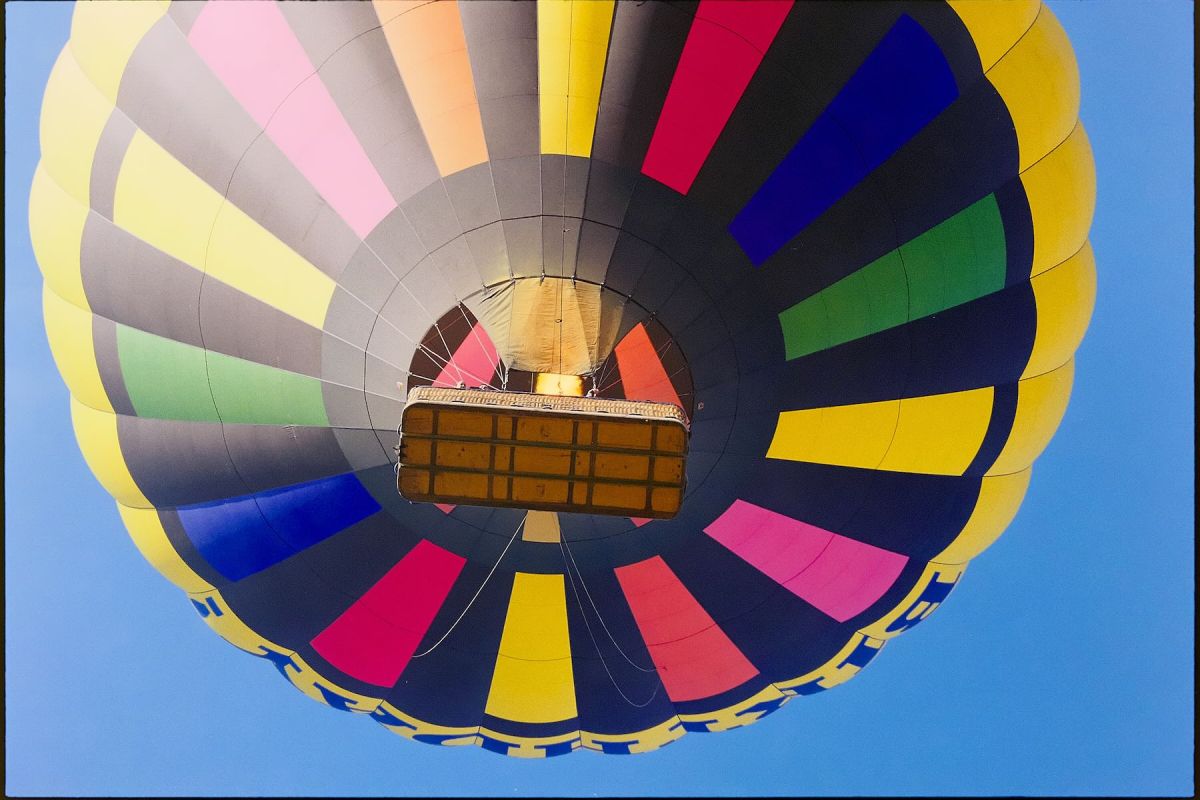
After trying the free version, which is really an older edition of the software, I decided to trial the latest SILKYPIX Developer Studio Pro 11. This version has some new features and feels a bit faster but one feature really was exciting to try. SILKYPIX can invert camera scans of negative film images. I tried it out on a set of camera scans of a KODAK Gold film. The picture above is one of the resulting inversions.
In the past I have tried Negative Lab Pro, Filmlab, Darktable and Vuescan for inverting camera scans. They all work but also have some eccentricities. I found using SILKYPIX surprisingly easy and the test image of the balloon shows how effective it can be.
I will continue using SILKYPIX for Lumix camera RAW files and for negative inversion, it seems like a good tool to add to my collection. The only downside is that the Mac version must run on Rosetta and the company seems undecided about whether to produce a new version for Apple Silicon.
 Rosetinted