
Discovering SILKYPIX

Balloon shot on Kodak Gold

It has been quite a while since my last post but in that time I have been trying to find the “ideal” software for processing and cataloguing photos. There is no such thing of course but it is fun trying out different combinations. My latest discovery is SILKYPIX (yes it is written in capitals).

Anyone who has a Panasonic Lumix camera will be offered a cut-down version of SILKYPIX for free to develop RAW photos. This works surprisingly well and after some experimentation I found it quite easy to use. One of the benefits is that it offers the same style presets which are built into Lumix cameras. I also found that it rendered colours much better than other RAW editors, especially greens. This software comes from Japan and has a different feel to other RAW editors.

After trying the free version, which is really an older edition of the software, I decided to trial the latest SILKYPIX Developer Studio Pro 11. This version has some new features and feels a bit faster but one feature really was exciting to try. SILKYPIX can invert camera scans of negative film images. I tried it out on a set of camera scans of a KODAK Gold film. The picture above is one of the resulting inversions.

In the past I have tried Negative Lab Pro, Filmlab, Darktable and Vuescan for inverting camera scans. They all work but also have some eccentricities. I found using SILKYPIX surprisingly easy and the test image of the balloon shows how effective it can be.

I will continue using SILKYPIX for Lumix camera RAW files and for negative inversion, it seems like a good tool to add to my collection. The only downside is that the Mac version must run on Rosetta and the company seems undecided about whether to produce a new version for Apple Silicon.
A New Old Scanner

A New Old Scanner

“Wow! Those look really good!” These were my first reactions on seeing scans from my recently received acquisition. It really wasn’t the most exciting thing ever but it did come from seeing my new scanner work for the first time.

I did have two scanners, an Epson Perfection 4490 flatbed and a Plustek 8200i film scanner. In principle the Plustek was used for 35 mm film while the Epson is for medium format and for scanning photo prints. Though both have been working perfectly I just was not satisfied with them. The problem is 35 mm negatives, the Epson scans are just too soft and often give the dreaded moire patterns, the Plustek seems to be very good but I was noticing every little mark on the film, dust spots yes but also very small gaps in the emulsion and all sorts of scrapes and scratches. At times it looked as if the Plustek was showing individual film grains.

Other people seemed to be obtaining scans on higher resolution devices without all these niggling marks. Lab scans in particular don’t have marks like this and I just cannot believe they were all Photoshopped out before being sent to me. Using infra-red dust removal wasn’t doing the trick either which left tedious spotting or else resorting to the dust and scratch removal filter in Photoshop or Affinity Photo.

To make matter worse many of my old negatives show signs of fungal infestation. This leaves hundreds of little tracks through the emulsion. Scanned with the Epson these just don’t show but with the Plustek every little mark is there.

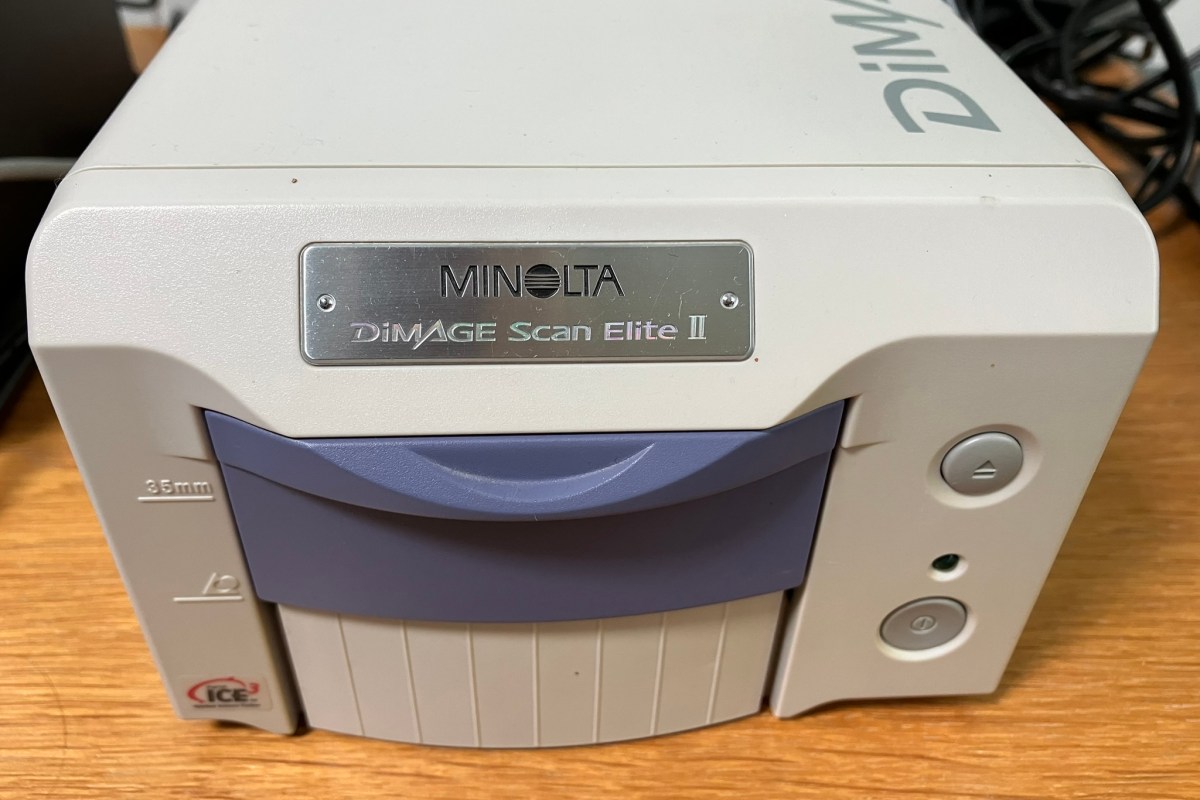
Watching YouTube I noticed someone else was having the same issue but compared this to the higher resolution Nikon Coolscan device he just happened to have. He suggested that the light source in his Nikon was more diffuse and so gave a more pleasing image. That night, well about 4 am really, I looked through Ebay for alternatives and found the many variants of Minolta scanners. By 5 am I had bought a Minolta Dimage Scan Elite II.

So, back to those reactions to the first scans. They are sharp and have excellent contrast but show fewer marks than the Plustek. Resolution is just 2820 dpi but this is about perfect for my use resulting in images between 10 and 11 megapixels. The only problem is that the device is very slow connected by USB since it uses the original 12 Mbps type. Back to Ebay and I have ordered a Firewire card to fit into the spare slot in my computer.